


VW Digital Cockpit & Infotainment Updates: Why Software Service Matters
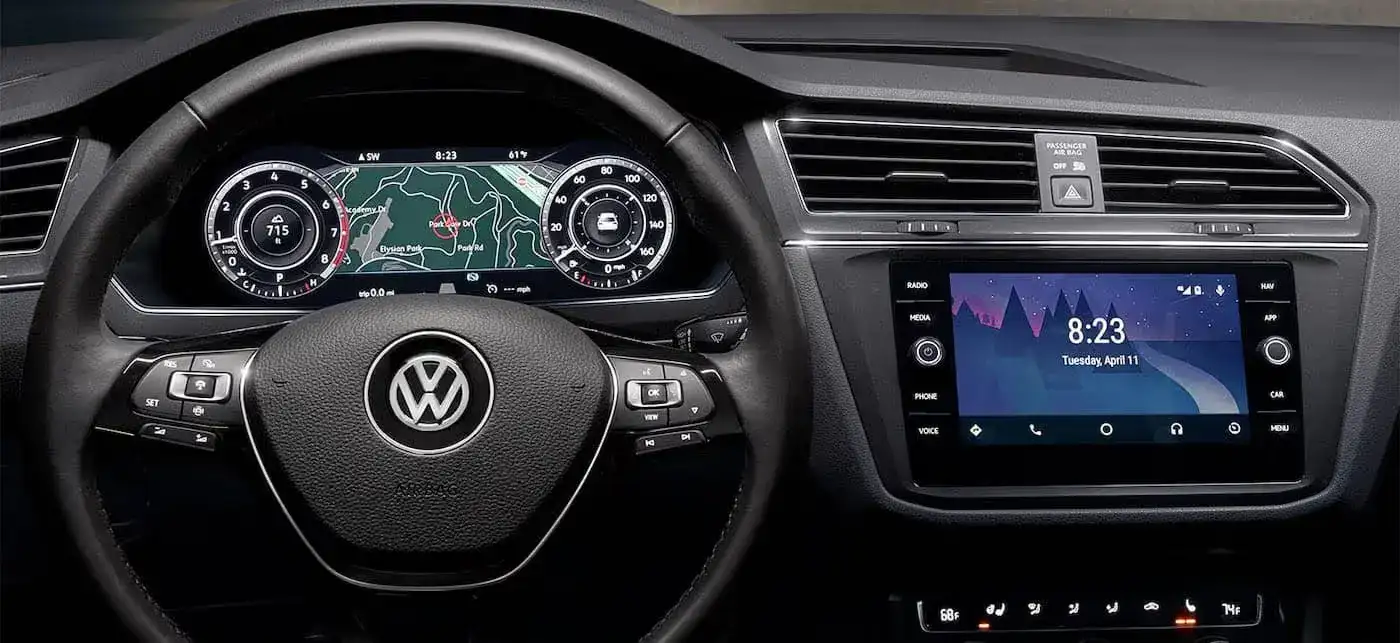
Last month, a 2023 Tiguan came into our service bay with an infotainment system that had frozen completely, displaying only a black screen. The owner hadn’t updated the software in over two years despite multiple dealer notifications. The system required a complete reflash and module reset to recover functionality. The service took four hours and cost $320. The software updates he ignored? Completely free and available through over-the-air updates or complimentary dealer service.
If you’re driving a newer Volkswagen in the Clarksburg area with the Digital Cockpit and latest infotainment system, you’re experiencing some of the most advanced vehicle technology available. Crisp displays, intuitive controls, wireless connectivity, and features that seemed like science fiction just years ago. But here’s what many VW owners don’t realize: these sophisticated systems require regular software updates just like your smartphone or computer.
Too many drivers treat their vehicle’s software like it’s set-and-forget technology. They assume everything will keep working perfectly without maintenance. Others see update notifications and dismiss them as unnecessary nuisances. Both approaches lead to degraded performance, missing features, security vulnerabilities, and eventually, expensive system failures that could have been prevented.
Understanding why software service matters and how to keep your VW’s digital systems current protects your investment and ensures you’re getting the full capability these advanced systems offer. Let’s explore what you need to know about maintaining your Volkswagen’s digital brain.
Understanding Your VW’s Software Architecture
Modern Volkswagens aren’t just cars with computers added, they’re computers on wheels with sophisticated software controlling virtually every function.
Your VW contains dozens of Electronic Control Units (ECUs) managing everything from engine performance and transmission operation to climate control and infotainment functions. The Digital Cockpit, infotainment system, driver assistance features, and vehicle connectivity all run on software that requires periodic updates just like any other computer system.
The infotainment system alone contains millions of lines of code managing touchscreen interface, navigation, audio systems, smartphone integration (Apple CarPlay and Android Auto), wireless connectivity, and voice recognition. This complexity means bugs exist in initial software releases that updates fix. New features get added through updates. Security vulnerabilities get patched. Performance optimizations improve system responsiveness.
Think of software updates as preventive maintenance for your digital systems. Just as oil changes prevent engine damage, software updates prevent system failures, security breaches, and performance degradation. Ignoring updates doesn’t save time or money, it creates problems that cost more to fix later.
The Digital Cockpit Pro available in many newer VW models displays critical vehicle information, navigation, and customizable data directly in front of you. This system communicates constantly with other vehicle modules through the CAN bus network. When software versions between modules become mismatched from skipped updates, communication errors occur causing glitches, frozen screens, or complete system failures.
A customer from Fairmont experienced intermittent Digital Cockpit freezing where the entire display would go black for 5-10 seconds while driving. Diagnostics revealed his cockpit software was three versions behind current, creating compatibility issues with recently updated driver assistance modules. The software update took 45 minutes and resolved the problem completely. Had he continued ignoring it, the incompatibility would have eventually corrupted system memory requiring module replacement costing $1,200-1,500.
Over-the-Air vs. Dealer Updates
Newer Volkswagens include over-the-air (OTA) update capability, allowing some software updates to download and install automatically like your smartphone.
OTA updates handle infotainment system improvements, navigation map updates, and some driver assistance features. Your VW downloads updates via built-in cellular connection when parked and connected to power. You receive notification when updates are available, and installation happens when you schedule it or overnight when the vehicle isn’t in use.
However, not all updates can happen over-the-air. Engine control module updates, transmission software, safety system calibrations, and some infotainment updates require dealer installation using specialized diagnostic equipment. These updates need direct connection to VW’s proprietary systems and often require verification testing after installation.
Many owners assume OTA capability means they never need dealer software service. This is incorrect. Plan on dealer software updates annually or whenever you bring your VW in for routine maintenance. Technicians can check for available updates across all vehicle modules, including those that can’t update over-the-air.
“We see customers surprised when we tell them their vehicle has six available software updates despite having OTA capability,” says Michael Thompson, Master Technician at the Lodgeville Road location. “OTA is great for some updates, but critical updates to powertrain, safety systems, and deep-level infotainment functions still require dealer service. Customers should think of OTA as a supplement to dealer updates, not a replacement. The most reliable VWs are those where owners stay current on both types of updates.”
Why Skipping Updates Creates Problems
Ignoring software updates isn’t just about missing new features, it creates real problems that worsen over time.
Performance degradation happens gradually. As software ages and new updates remain unapplied, systems slow down. Infotainment screen response becomes sluggish. Apps take longer to launch. Navigation recalculations lag. Bluetooth connections become unreliable. Each individual slowdown seems minor, but accumulated over multiple missed updates, the system becomes frustratingly slow compared to when new.
Security vulnerabilities are a genuine concern with connected vehicles. Your VW’s infotainment system connects to the internet, your smartphone, and VW’s cloud services. These connections create potential entry points for security exploits. Software updates patch known vulnerabilities, protecting your vehicle’s systems and your personal data. Skipping security updates leaves your VW vulnerable to the same types of exploits that affect computers and smartphones.
Bug fixes prevent small annoyances from becoming major problems. Initial software releases inevitably contain bugs that cause glitches, crashes, or unexpected behavior. Updates fix these bugs. When you skip updates, you continue experiencing problems that have already been solved. Worse, some bugs can corrupt system memory over time, eventually requiring complete system reflash or module replacement.
Compatibility issues develop between modules when some get updated and others don’t. Modern VWs have multiple modules that must communicate flawlessly. When the infotainment system updates but the instrument cluster doesn’t, communication errors occur. These errors cause warning messages, system crashes, or features that stop working entirely.
A Morgantown customer brought us his 2022 Atlas with an infotainment system that randomly rebooted while driving. The issue occurred 3-4 times weekly and was becoming dangerous as the backup camera relied on the same display. Diagnostics showed the infotainment system had received an OTA update six months prior, but three related modules hadn’t been updated at the dealer, creating version mismatches. We updated all modules to current versions and the rebooting stopped immediately. He’d been living with a dangerous malfunction for six months that a simple update resolved.
Critical Updates You Shouldn’t Ignore
Not all software updates are equally important, but certain categories require immediate attention when they become available.
Safety system updates take absolute priority. Updates to driver assistance systems like Front Assist, Lane Assist, adaptive cruise control, and automatic emergency braking often improve detection accuracy or response timing. These aren’t just performance improvements, they’re safety enhancements that could prevent accidents. Never delay safety system updates.
Powertrain updates affecting engine or transmission performance address drivability issues, improve fuel economy, or fix mechanical concerns. VW releases these updates in response to field data showing improvements are needed. The update fixing transmission shift quality or reducing turbocharger lag came from engineering analysis of real-world performance data. Apply these updates promptly.
Security patches protect your connected vehicle from vulnerabilities. As security researchers discover potential exploits in connected vehicle systems, manufacturers release patches to close those vulnerabilities. These updates protect your personal data, prevent unauthorized vehicle access, and ensure your VW’s systems remain secure.
Infotainment system stability updates fix crashes, freezing, and other malfunctions that affect daily usability. If you’re experiencing system problems, check for available updates before assuming you need hardware replacement. Many infotainment issues resolve completely with software updates.
Navigation map updates keep your directions accurate as roads change, businesses move, and new developments open. West Virginia sees continuous road construction and development, particularly along I-79 and around Bridgeport. Outdated maps route you to closed roads or businesses that relocated. Map updates are typically annual and should be applied to maintain navigation usefulness.
The Update Process: What to Expect
Understanding what happens during software updates helps you plan appropriately and know what to expect.
Dealer software updates typically take 30-90 minutes depending on how many modules need updating and the size of update files. Some updates install quickly while others require extended download and verification time. Your service advisor can estimate duration based on which updates your VW needs.
The process involves connecting your VW to VW’s proprietary diagnostic system, checking all modules for available updates, downloading update files, installing them sequentially, and verifying proper operation afterward. Critical modules like engine and transmission control receive extra verification testing to ensure proper function.
You cannot use your vehicle during dealer updates. The process requires ignition on with engine off (for most updates), and interrupting installation can corrupt modules requiring expensive recovery procedures. Plan to drop your vehicle off or wait at the dealership rather than expecting quick in-and-out service.
Over-the-air updates happen more conveniently but have their own requirements. Your VW must be parked, have at least 50% battery charge, and maintain cellular connection throughout download and installation. Updates won’t install if you’re actively using the vehicle or if battery charge is too low. Installation typically happens overnight when you schedule it.
Check your owner’s manual for OTA update instructions specific to your model. The process varies slightly between different VW models and infotainment generations. Generally, you’ll receive notification on the infotainment screen when updates are available, and you can schedule installation for a convenient time.
A customer from Clarksburg attempted an OTA update but kept canceling it because it was “taking too long.” After three attempts, the partially downloaded update corrupted the infotainment system requiring dealer recovery service. The lesson: once you start an OTA update, let it complete fully without interruption. If the timing isn’t convenient, delay the start until you have several hours where the vehicle will sit parked and connected.
Common Software Issues and Their Solutions
Recognizing common software-related problems helps you identify when updates or service might resolve issues.
Slow or unresponsive touchscreen often results from outdated software or accumulated cache data. Before assuming hardware failure, check for available updates. If updates don’t resolve it, dealers can clear system cache and perform soft reset procedures that often restore responsiveness.
Apple CarPlay or Android Auto connectivity problems frequently trace to software compatibility issues between your phone, the infotainment system, and the connectivity protocol. Both Apple and VW regularly update their software, and version mismatches cause connection failures. Update both your phone and your VW’s infotainment system to current versions before assuming hardware problems.
Navigation system freezing or routing errors usually indicate outdated map data or software bugs. Map updates resolve routing to wrong locations or outdated business information. Software updates fix freezing and calculation errors.
Voice recognition not understanding commands can result from software bugs, accent/dialect issues that updates improve, or microphone problems. Software updates continuously improve voice recognition algorithms. If commands worked previously but recently became unreliable, check for available updates.
Random system reboots or black screens indicate serious software instability or module communication errors. These issues require immediate dealer attention. Don’t assume they’ll resolve themselves, they typically worsen until the system fails completely.
A Bridgeport customer experienced voice recognition that suddenly stopped understanding basic commands like “navigate home” or “call contact.” She assumed the microphone had failed. Diagnostics revealed a corrupted voice recognition database from interrupted OTA update. We reinstalled the voice software and cleared corrupted files, restoring full functionality. No hardware replacement needed, just proper software recovery.
Digital Cockpit Specific Considerations
The Digital Cockpit instrument cluster has unique software requirements separate from the infotainment system.
This fully digital display replacing traditional gauges shows speed, RPM, navigation, driver assistance information, and customizable data. The software controlling this display must remain compatible with engine control modules, transmission software, and driver assistance systems to display accurate real-time information.
Digital Cockpit updates improve display layouts, add customization options, and fix display glitches. VW continuously refines the user interface based on customer feedback. Updates add new display modes, improve readability, and enhance functionality. Staying current ensures you have the latest features and best user experience.
Calibration drift can occur in Digital Cockpit systems where displayed speed becomes slightly inaccurate compared to GPS or actual wheel speed. Software updates include calibration corrections that restore accuracy. If you notice your speedometer reading differently than GPS speed on your phone, mention it during service visits.
The Digital Cockpit interacts constantly with driver assistance cameras and sensors. Updates to these systems often require corresponding Digital Cockpit updates to properly display new information or warnings. Skipping updates can result in driver assistance features working but not displaying warnings correctly, creating safety concerns.
A customer from Weston noticed his Digital Cockpit stopped displaying Lane Assist warnings even though the system was still functional. He could feel the steering resistance when drifting from his lane, but no visual warning appeared on the display. The problem was a version mismatch between updated Lane Assist software and outdated Digital Cockpit software. Updating the cockpit restored proper warning displays.
Maintaining Your VW’s Software Health
Proactive software maintenance prevents problems and ensures optimal performance from your VW’s digital systems.
Accept and install OTA updates when they become available. These updates are thoroughly tested before release and install safely when you follow proper procedures. Schedule installation for overnight when your VW will sit parked for several hours. Ensure your vehicle is plugged in or has substantial battery charge before starting updates.
Include software updates in annual service visits. Even with OTA capability, having dealer technicians check for available updates during routine maintenance catches updates that can’t install over-the-air. This also verifies all modules remain on compatible software versions.
Don’t interrupt update installations. Whether OTA or dealer updates, interrupting the process risks corrupting modules and creating problems worse than what updates fix. Once started, let updates complete fully.
Keep your connected services subscription active. OTA updates and some connected features require active VW Car-Net or similar subscriptions. Allowing subscriptions to lapse prevents OTA updates from working even on capable vehicles.
Monitor system performance and report issues promptly. Don’t ignore glitches, slowness, or unexpected behavior. These symptoms often indicate software problems that updates or service can resolve. Early intervention prevents minor issues from becoming major failures.
A customer from Fairmont maintains his 2023 Taos meticulously, including software updates. He accepts every OTA update when offered and includes software checks in his oil change visits. At 32,000 miles, his infotainment system and Digital Cockpit work as responsively as when new. His coworker bought an identical Taos the same month but has never updated software. That coworker’s infotainment is noticeably sluggish and has experienced two system crashes requiring hard resets. The difference? Consistent software maintenance.
When Software Updates Can’t Fix Hardware Problems
Sometimes system problems indicate hardware failure rather than software issues, and understanding the difference prevents chasing software solutions for hardware problems.
Cracked or damaged touchscreens won’t improve with software updates. Physical screen damage requires replacement. However, verify the screen is actually damaged before replacing it. Sometimes what appears to be screen failure is actually software malfunction causing display problems.
Failed modules or corrupted memory may be beyond software recovery. If dealer technicians cannot successfully update or reflash a module, the hardware has likely failed and needs replacement. This is rare but happens occasionally with electronic components.
Faulty sensors or cameras feeding bad data to software systems cause problems that software can’t fix. If your backup camera shows distorted images or parking sensors give false warnings after software updates, the sensors themselves may need replacement.
Worn or damaged buttons and controls won’t respond better with software updates. Physical control failures require hardware replacement. However, sometimes controls seem broken when they’re actually functional but software isn’t responding. Technicians can distinguish between hardware and software problems through proper diagnosis.
A customer from Jane Lew brought us his Atlas with a backup camera showing distorted, wavy images. He’d performed an OTA update hoping it would fix the problem, but the distortion continued. Inspection revealed water intrusion had damaged the camera sensor. Software was functioning correctly, but hardware had failed. Camera replacement cost $380 and resolved the issue completely.
Your 30-Day VW Software Health Check
Taking control of your VW’s software maintenance starts with three straightforward actions you can complete this month.
This week: Check your current software versions and compare them to what’s available. Access your infotainment system settings and look for software version information. Write down current versions for infotainment, navigation maps, and Digital Cockpit. Then contact our service department or check VW’s owner portal to see if newer versions are available. If you’re multiple versions behind, schedule a dealer update appointment. If you’re current on most systems, set a reminder to check again in six months.
Within two weeks: Verify your connected services subscription status and ensure your VW can receive OTA updates. Check VW Car-Net or your model’s connected service to confirm subscription is active. If it’s expired, decide whether to renew based on how much you use connected features. Even if you don’t use remote features, maintaining the subscription enables OTA updates. Test your Wi-Fi or cellular connectivity by attempting to download app updates or check for system updates through the infotainment menu.
By month’s end: Perform a complete system functionality check to identify any issues that might require software updates or service. Test every infotainment function including navigation, voice recognition, smartphone connectivity, audio sources, and climate controls. Verify Digital Cockpit displays all information correctly. Check that driver assistance features function properly. Document any glitches, slowness, or unexpected behavior to discuss with service technicians. Many problems you’ve been living with have simple software solutions if you report them.
These three checks take less than 90 minutes total but give you complete understanding of your VW’s software status and identify any issues needing attention.
The Cost-Benefit Analysis of Regular Updates
Understanding the financial implications of software maintenance versus neglect helps justify the time investment updates require.
Cost of regular software maintenance:
- OTA updates: $0 (included with vehicle)
- Dealer updates during routine service: $0 (typically included)
- Dealer updates requiring special visit: $0-50 (may include small diagnostic fee)
- Annual investment: $0-50
Cost of software neglect:
- Corrupted module requiring reflash: $200-350
- Failed module requiring replacement: $800-1,500
- System performance degradation: immeasurable frustration
- Security vulnerability exploitation: potentially thousands in data breach costs
- Missing features and capabilities: loss of value you paid for
The math is straightforward: preventive software maintenance costs essentially nothing, while neglect causes problems costing hundreds or thousands to repair. Even better, updates often add features and capabilities you didn’t have originally, increasing your vehicle’s value at no cost.
A customer from Morgantown calculated that the five dealer software updates he’d received over three years would have cost him $200 if they weren’t complimentary with his service visits. His coworker who skipped updates spent $1,350 on infotainment module replacement from corrupted software. The difference in approach cost his coworker $1,150 in avoidable repairs.
Future-Proofing Your VW Investment
Regular software updates don’t just maintain current functionality, they add new capabilities that weren’t available when you bought your vehicle.
VW regularly adds features through software updates that would have required hardware upgrades in previous generations. New Digital Cockpit display layouts, enhanced voice recognition, improved driver assistance sensitivity, and updated navigation features all arrive through updates rather than requiring new vehicles.
This approach means your VW can improve over time rather than becoming outdated as technology advances. A 2020 VW with all current software updates has features and functionality that didn’t exist when it was new. This protects resale value and extends the useful life of your investment.
Buyers shopping for used VWs increasingly check software update history and current versions. A vehicle with documented update history commands higher prices than identical vehicles with unknown or neglected software maintenance. This trend will only strengthen as vehicles become more software-dependent.
A customer from Bridgeport recently sold his 2020 Tiguan with complete service records including all software updates. He received $1,200 above market value because the buyer appreciated the documented maintenance and current software versions. Another Tiguan with similar mileage but unknown software history sold for $800 below market. The difference? Documented software maintenance that proved the vehicle had been properly cared for.
Ready to ensure your VW’s digital systems are current and functioning optimally? Our service department specializes in Volkswagen software maintenance with factory diagnostic equipment and trained technicians.
Schedule Your Software Update Service Today
Remember that Tiguan owner from the beginning who ignored software updates until his infotainment system failed completely? He now includes software checks in every service visit and accepts OTA updates promptly when they appear. “That $320 recovery service taught me that free updates are actually valuable maintenance, not annoying notifications,” he told us recently. “My infotainment system works better now than when I bought it because I’m keeping software current.”
Your Volkswagen’s digital systems represent sophisticated technology that requires maintenance just like mechanical components. Keeping software current ensures optimal performance, maximum features, and protection against problems that neglect causes. Our certified VW technicians at the Lodgeville Road location have the training and equipment to properly update all vehicle systems and verify correct operation.
Schedule your VW software update service today by calling our service department or booking online. Visit us at 730 Lodgeville Rd, Bridgeport, WV 26330, conveniently located just off I-79 with easy access throughout north-central West Virginia.
Proper software maintenance protects your investment, ensures you’re getting every feature your VW offers, and prevents the expensive failures that neglect causes. That’s the confidence current software delivers.
0 comment(s) so far on VW Digital Cockpit & Infotainment Updates: Why Software Service Matters